
HTML terrace
The HTML terrace is a terrace containing HTML or other markup that you enter. Use it for content that no other terrace type covers.
A page contains at most one HTML terrace.
Turning the terrace on and off
- Click the + (Add content) button in the admin menu.
- Click Terrace Menu.
- Toggle HTML on.
Toggling the terrace off hides it and retains its heading and markup. Toggling it on again restores them. The pencil menu on the terrace contains a second control for this, Turn Off HTML Terrace.
The pencil menu
| Item | Behavior |
|---|---|
| Edit HTML | Opens the editor on the terrace |
| Move Up and Move Down | Move the terrace. Disabled at the top and bottom of the page |
| Turn Off HTML Terrace | Hides the terrace |
Heading
The heading is edited in place. Click it, type, and press Enter to save or Escape to cancel. The heading holds 250 characters.
A terrace whose heading has never been set displays the word HTML. A heading saved as an empty field is not displayed to visitors. Editors continue to see the Add Title placeholder in its position.
Opening the editor
Click the pencil on the terrace and click Edit HTML.
The editor opens in raw HTML mode. The textarea placeholder reads Enter some HTML.
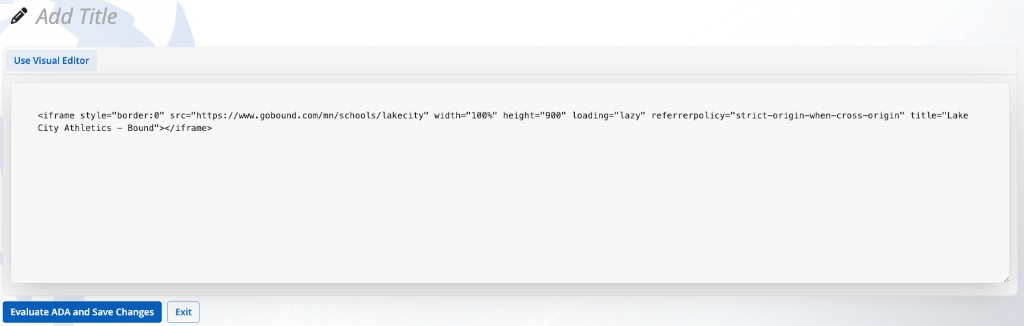
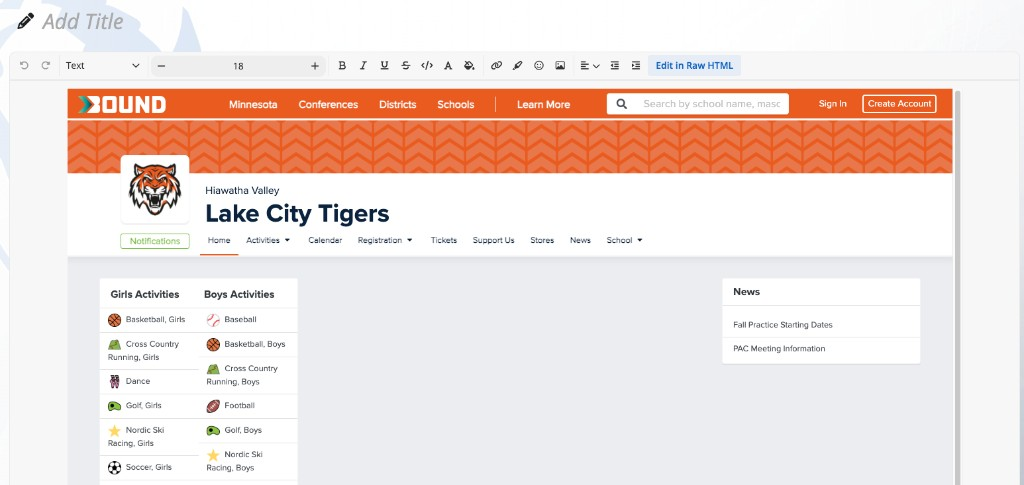
Edit in Raw HTML and Use Visual Editor switch between the code field and the visual editor. The visual editor toolbar includes undo, redo, turn into, font size, bold, italic, underline, strikethrough, code, colors, link, highlight, emoji, image, and alignment.
The field holds up to 200,000 characters.
Saving and accessibility check
The save control is labelled Evaluate ADA and Save Changes. Clicking it runs an accessibility check, then saves.
While the check and save run, the label cycles through Evaluating Accessibility..., Saving Images..., and Saving Content... as those steps apply.
If the check returns errors, a table headed ADA Compliance Errors lists them, and Ignore Errors and Save Anyway appears beside the save control.
Exit closes the editor without saving the current edits.
Visitor behavior
Saved markup is displayed in the terrace. A rendering error in the markup is contained to the terrace and does not break the rest of the page.
Constraints
- One HTML terrace per page.
- The terrace can be moved with Move Up and Move Down, but not above the Hero Banner or below the Map.
- Every save runs the accessibility check before the content is stored.
FAQ
- "Why does Save say Evaluate ADA and Save Changes?" Every save runs an accessibility check first. The content is saved after that check. If errors are reported, Ignore Errors and Save Anyway saves without clearing them.
- "Why did the editor open as a code box?" The HTML terrace opens in raw HTML mode by default. Click Use Visual Editor for the rich text toolbar.
- "Can a page have two HTML terraces?" No. A page holds one terrace of each type.
Last updated: July 2026.